
Using the License Manager to Move a License Between Servers
This process may also be needed when you change IP addresses or hostnames on a system and they are being used as the Host ID.
There is a limit on the number of times that a system may be deactivated in order to prevent abuse and denial of service issues with the licensing system. When the limit is exceeded, an error will be reported. Contact support@deltaxignia.com to request a temporary increase when needed.
-
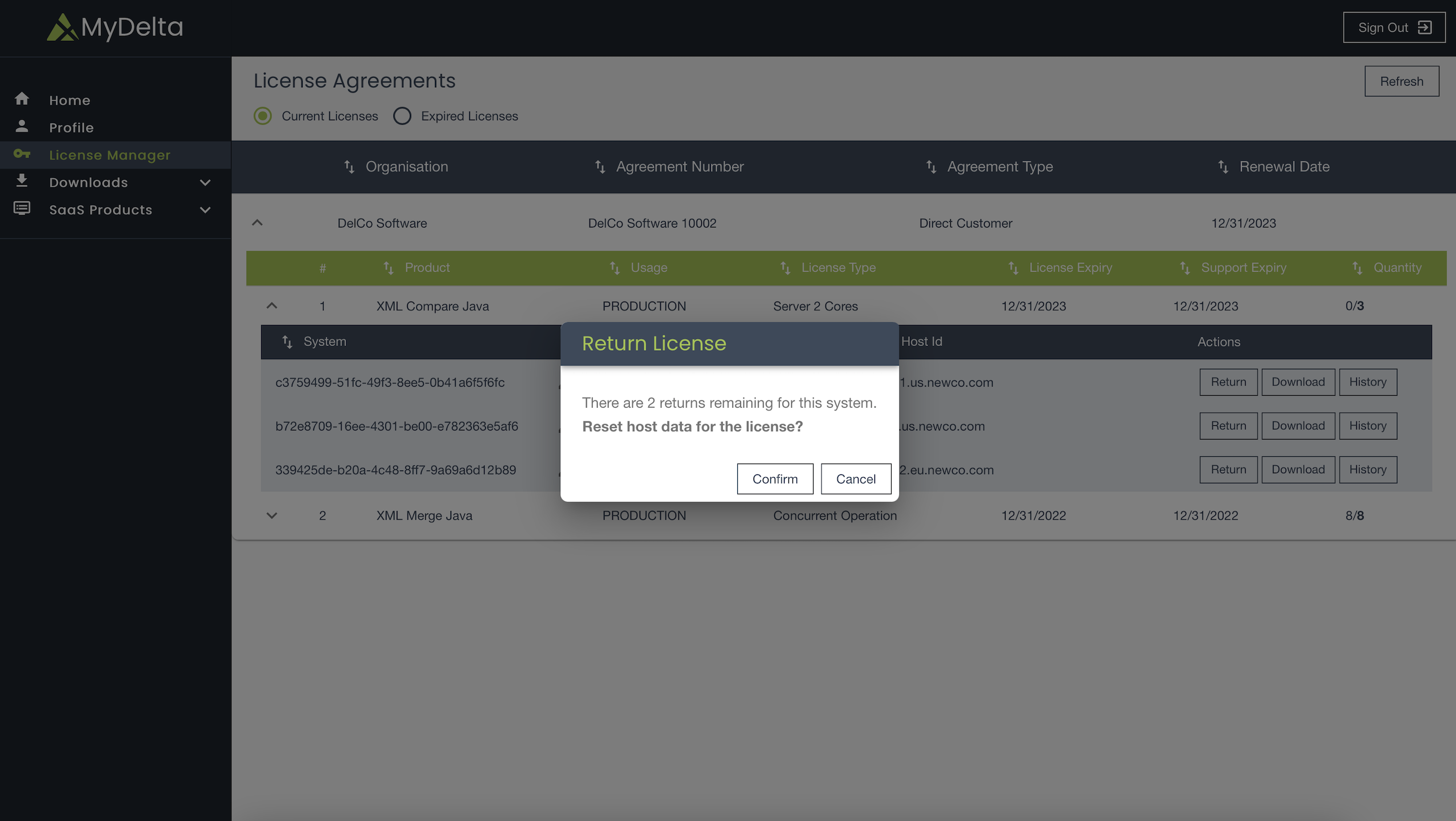
On MyDelta left navigation panel, click License Manager. A table of all purchases available for you appears. You can expand each item to display the individual line items underneath each purchase.
-
Click Return next to the license you want to return. The Return License dialog box appears.
-
Click Confirm to remove the existing Host ID and prepare the license for the new host to be activated.
-
Activate the license with details of the new server.
-
Download the license again.
For more information, see How to View and Activate your licenses.
View System History
You can check the system history to see the original activation, return of that activation, activation for the new server, and the license download.